Recommended Settings
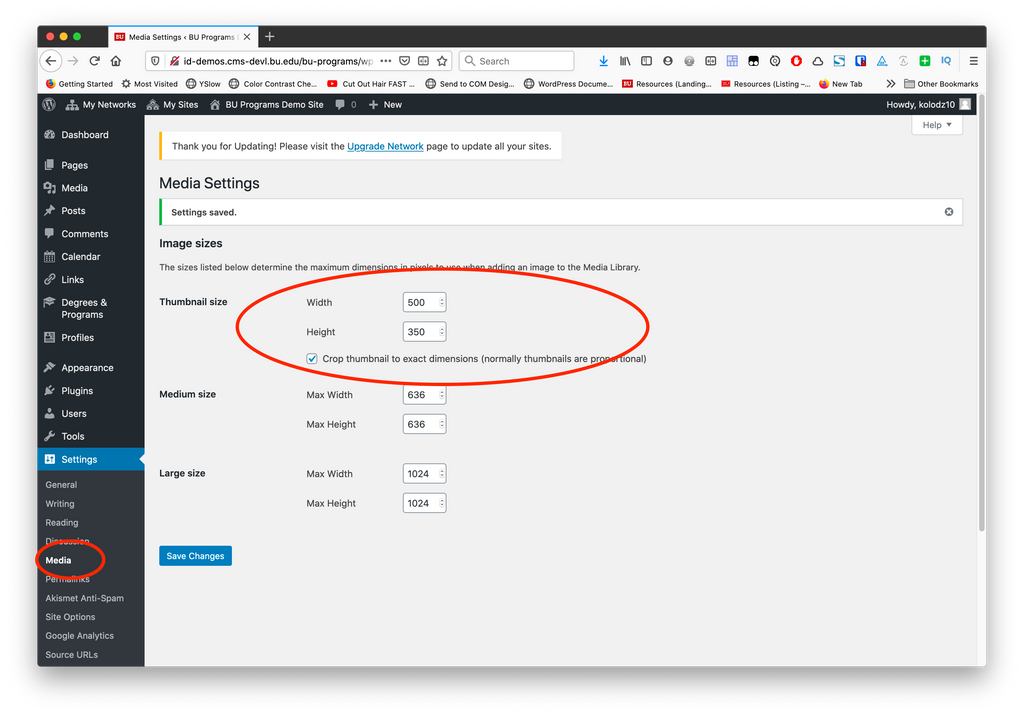
Recommended image size settings
- Media settings: This plugin uses the Thumbnail size for displaying program results. For best results, if you are not using a custom theme, go to Media Settings and adjust the thumbnail size. Use a minimum width of 500px on the thumbnail, and ensure “Crop thumbnail” is checked. This will ensure all images are the same size. Recommended setting: 500 width, 350 height
- Uploads: Ensure all your featured images are a minimum of 500px wide. Generally speaking, larger is better and will give you more flexibility with other tools your website provides.
For theme developers
You can override this behavior by using the bu_programs_program_list_block_image_size filter, and set your own image size. If you are not changing the width of grid items in the CSS, you will still want your image size to be a minimum of 500px wide.